MIDI PERFECT 5
A band in your browser.
Five lanes – drums, bass, chords, arp, melody – generate live MIDI from a chord progression. No build, no server, no installation: a single HTML file that drives your DAW or synth via Web MIDI. With MIDI import, tablature including chord diagrams, Cubase sync and SMF export.
Chrome or Edge only. Safari and Firefox do not implement Web MIDI – and without Web MIDI there is no sound output. On the desktop, ideally use a virtual MIDI port (IAC driver, loopMIDI) to your DAW.
What’s inside
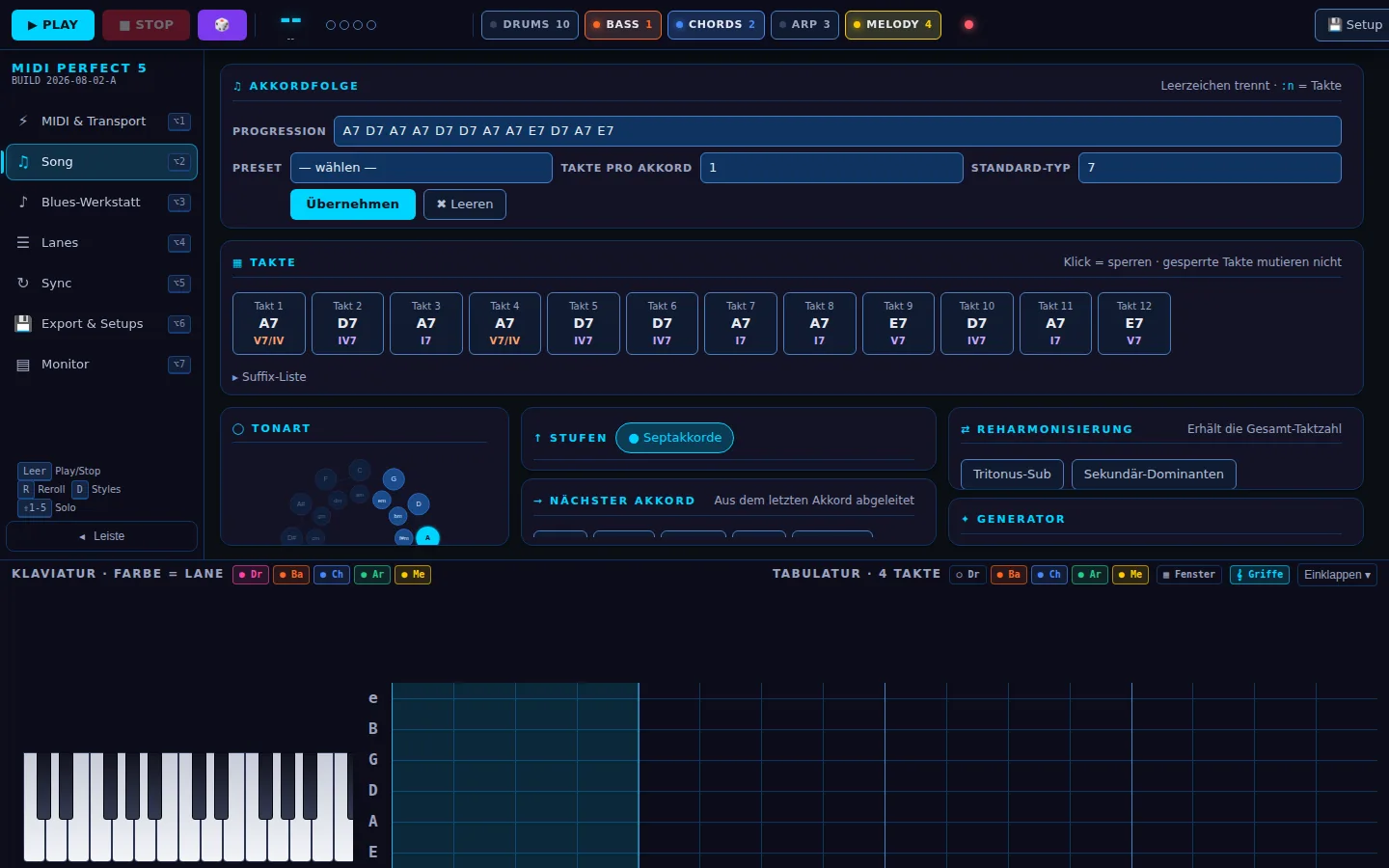
Deterministic live patterns per lane, a worker scheduler with rock-solid timing and everything between the idea and the DAW track.
Five lanes, one band
Drums, bass, chords, arp and melody with their own styles per time signature (4/4, 3/4, 6/8). Band presets, solo, mute, reroll of single lanes and infinity mutation for endless variation.
MIDI import
New in version 5: a Standard MIDI File (format 0 and 1) is reduced to chord progression, key, time signature, tempo and feel. For whole songs the importer detects the core loop (verse/chorus) and offers it preselected.
Tablature with chord diagrams
8 bars on an eighth-note grid in standard tuning, fret numbers timed exactly to note-on, a playhead and a preview of what’s coming. Above the grid, the chord line with barre chord diagrams – a click opens the large view.
Sync with Cubase
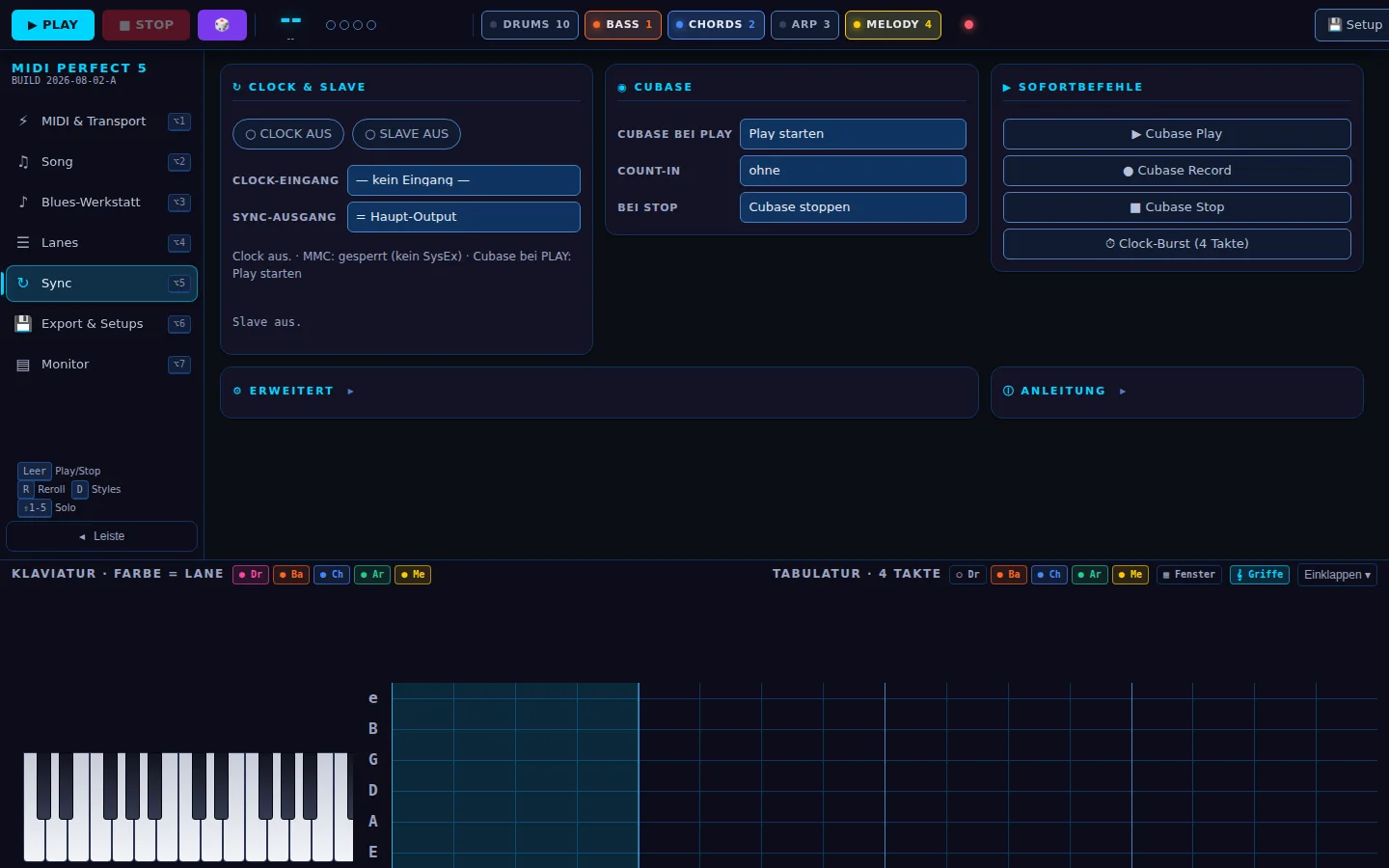
Send MIDI Clock or follow as a slave, MMC transport (play, record, stop) and count-in. Play in MIDI PERFECT starts Cubase – or the other way round.
SMF export & setups
Export all lanes as a Standard MIDI File with the correct time signature. Name, save and auto-restore setups, and move them between versions as JSON.
Blues workshop & harmony
12-bar forms with turnaround and transposition, circle of fifths, degree suggestions, tritone substitution and secondary dominants – reharmonisation that keeps the bar count.
Seven sections, one page
The transport bar at the top is always visible, the sidebar on the left, the dock with keyboard and tablature at the bottom. Exactly one section is active and fits 1440 × 900 without scrolling.
Quick answers
What do I need to hear something?
Chrome or Edge and a MIDI destination: a hardware synth on a USB interface or a virtual port to your DAW (macOS: IAC driver, Windows: loopMIDI). On first launch the browser asks for MIDI permission – allow it once, done. The page itself makes no sound; it sends MIDI.
Is any data transmitted or stored?
Nothing leaves the browser. Setups, lane state and sync settings live in localStorage under the namespace midiperfect5.*. No server is involved; the tool sends nothing.
I used version 3 or 4 – what happens to my setups?
Version 5 has its own storage namespace; the older versions stay untouched. To move setups, use “Save as .json / Load” in the Export & setups section. The predecessors are still available at midi-perfect-3.
Can I use the file offline?
Yes. Save it, double-click, it runs – no dependencies, no CDN. Sources and build script are in the GitHub repository (MIT license).
I like it – how can I say thanks?
If MIDI PERFECT 5 makes your work easier: buy me a coffee.